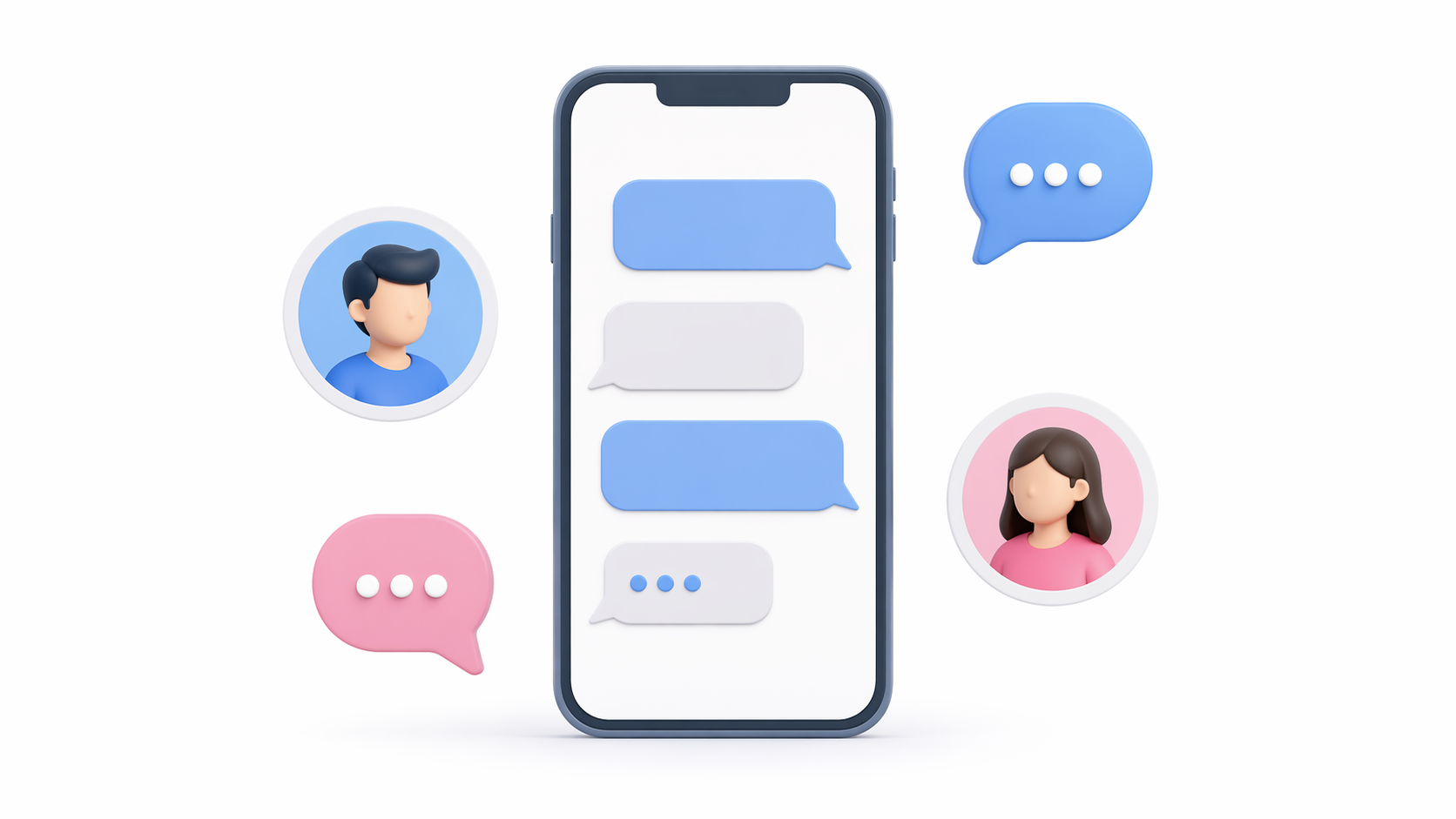
Creating a messaging app can seem like a daunting task, but with the right tools and guidance, it becomes manageable. Whether you’re looking to build a basic chat app or a sophisticated messaging platform like WhatsApp, this guide will walk you through the essential steps and considerations. Let’s dive into the world of messaging app development and explore how you can create a messaging app efficiently.
Understanding the Basics of Messaging App Development
Before diving into development, it’s crucial to understand the fundamental components of a messaging app. A standard messaging app typically includes features such as user registration, real-time chat, message notifications, multimedia sharing, and user settings.
Key Features of a Messaging App
User Authentication
Secure user login and registration systems are the backbone of any messaging app. These systems ensure that only authorized users can access the app, protecting user data and privacy. Implementing features like two-factor authentication can further enhance security by requiring a second form of verification.
Real-time Messaging
Instant message sending and receiving is what makes messaging apps stand out. Users expect their messages to be delivered and read in real-time, so implementing efficient protocols like WebSockets or MQTT is essential. Real-time messaging can also include features like message delivery receipts and read receipts, enhancing the user experience.
Push Notifications
Push notifications alert users of new messages or updates, even when they aren’t actively using the app. These notifications are a vital engagement tool, keeping users informed and encouraging them to return to the app. Customizable notification settings allow users to manage how and when they receive alerts.
Multimedia Sharing
The ability to share images, videos, and files enriches user interactions. Multimedia sharing requires robust file handling and storage solutions, ensuring that files are uploaded, stored, and retrieved efficiently. Supporting various file types and formats can also enhance the app’s versatility.
Encryption
Secure communication through encryption protocols is non-negotiable in today’s digital landscape. Encryption ensures that messages remain private and are only accessible by the intended recipients. Implementing end-to-end encryption can further secure communications, making your app more appealing to privacy-conscious users.
User Profiles
Personal profiles for each user allow for customization and personalization within the app. Users can manage their profile information, display pictures, and status messages. Profile customization features can also include privacy settings, allowing users to control who can view their information.
Group Chats
Functionality to create and manage group conversations is a significant draw for many users. Group chats foster community and collaboration, allowing users to communicate with multiple people simultaneously. Features like group admin controls and customizable group settings can enhance group chat functionality.
Understanding these features will help you plan your app’s architecture and user experience.
Choosing the Right Development Approach: Native vs. Hybrid
One of the first decisions you’ll need to make is whether to build a native or hybrid app. Each approach has its pros and cons, and your choice will depend on your goals, budget, and target audience.
Native Apps
Performance and User Experience
Native apps are developed specifically for a particular platform, such as Android or iOS. They offer superior performance and a more seamless user experience, as they are tailored to the platform’s specifications. This means faster load times and smoother interactions, which are crucial for user retention.
Access to Platform-specific Features
Developing natively allows you to take full advantage of the device’s hardware and platform-specific features, such as GPS, camera, and push notifications. This can enhance the functionality of your app, offering users a richer experience.
Development Costs and Time
While native apps provide many benefits, they often come with higher development costs and longer development times. You’ll need separate development teams for each platform, which can increase both complexity and expenses.
Hybrid Apps
Cost-effectiveness and Development Speed
Hybrid apps are built using web technologies and can run on multiple platforms with a single codebase. This approach is cost-effective and quicker to develop, making it ideal for startups or projects with limited budgets. You can reach a broader audience without the need for separate development teams.
Performance Considerations
While hybrid apps offer cost and time advantages, they may not match the performance of native apps. The reliance on WebView can result in slower load times and less responsive interactions, which could affect user satisfaction.
Limitations in Platform-specific Features
Hybrid apps may have limited access to platform-specific features, which can restrict their functionality. However, advancements in frameworks like React Native and Flutter are narrowing this gap, offering more native-like experiences.
Step-by-Step Guide to Creating a Messaging App

Step 1: Define Your Requirements
Setting Clear Goals
Start by outlining your app’s goals and features. Are you aiming for a simple chat app or a more complex platform with advanced features like video calls and location sharing? Knowing your objectives will guide your development process and help prioritize features.
Understanding Your Audience
Identify your target audience and their needs. Conduct market research to understand what users expect from a messaging app and how you can differentiate your product. This insight will inform your feature set and marketing strategies.
Competitive Analysis
Analyze existing messaging apps to identify opportunities and potential challenges. Understanding what competitors offer will help you develop unique selling points and avoid common pitfalls.
Step 2: Choose Your Development Tools
Selecting the Right IDE
For Android, Android Studio is a popular choice due to its robust platform that provides everything you need to build a feature-rich app. It offers a comprehensive development environment with powerful tools for coding, debugging, and testing.
Exploring No-code Solutions
If you’re considering a no-code solution, platforms like nandbox offer pre-made messenger templates that can significantly speed up the process. These platforms are ideal for those without extensive coding knowledge, enabling rapid prototyping and iteration.
Evaluating Other Frameworks
Consider other frameworks and tools that align with your app’s requirements and your team’s expertise. Tools like React Native or Flutter can be excellent choices for hybrid app development, balancing speed and functionality.
Step 3: Develop the Backend
Choosing Your Backend Technology
The backend is the backbone of your messaging app, handling user authentication, message storage, and real-time communication. You can use backend services like Firebase, which offer scalable solutions, or build a custom server using Node.js or Python for more control.
Implementing Real-time Communication
Real-time messaging is essential for a messaging app. Use WebSocket or Firebase Cloud Messaging (FCM) to enable instant communication between users. These technologies support low-latency connections, crucial for real-time interactions.
Ensuring Data Security
Security should be a top priority when developing the backend. Implement encryption protocols and secure data storage practices to protect user information. Regular security audits can help identify and address vulnerabilities.
Step 4: Implement Real-time Messaging
Selecting Communication Protocols
Real-time messaging requires efficient communication protocols. WebSocket and Firebase Cloud Messaging (FCM) are popular choices that facilitate instant message delivery. Evaluate each protocol’s strengths to choose the best fit for your app.
Ensuring Seamless User Experience
Implement features like message delivery receipts and read receipts to enhance the messaging experience. These features provide users with feedback on message status, adding transparency to interactions.
Handling Network Issues
Plan for scenarios where network connectivity might be poor or lost. Implement features like offline message storage and automatic message retries to ensure users can continue communicating smoothly.
Step 5: Design the User Interface
Prioritizing User Experience
A user-friendly interface is crucial for user satisfaction. Focus on creating a clean, intuitive design that makes it easy for users to navigate and interact with your app. User-centered design principles should guide every aspect of your UI development.
Incorporating Branding Elements
Ensure that your app’s design reflects your brand identity. Consistent use of colors, fonts, and logos will help create a recognizable and cohesive user experience. Branding elements should enhance the visual appeal without compromising usability.
Enhancing Accessibility
Designing for accessibility ensures that your app can be used by a wider audience, including people with disabilities. Implement features like adjustable text sizes, high-contrast modes, and screen reader compatibility to make your app inclusive.
Step 6: Test Your App
Conducting Manual Testing
Thoroughly test your app to ensure it functions correctly and provides a smooth user experience. Manual testing allows you to explore the app from a user’s perspective, identifying potential usability issues and bugs.
Implementing Automated Testing
Automated testing can complement manual testing by running repetitive tasks and ensuring that new updates don’t break existing functionality. Tools like Selenium or Appium can streamline this process, increasing testing efficiency.
Gathering Beta Feedback
Consider releasing a beta version to a small group of users to gather feedback and identify any remaining issues. User insights can reveal unexpected challenges and help refine the app before its full launch.
Step 7: Deploy and Launch
Preparing for Deployment
Once your app is ready, deploy it to app stores like Google Play and Apple App Store. Ensure you comply with each platform’s guidelines and regulations, which can vary in terms of app content, privacy policies, and monetization strategies.
Planning a Marketing Strategy
Develop a marketing strategy to promote your app upon launch. Utilize social media, influencer partnerships, and targeted advertising to reach your audience. Highlight your app’s unique features and benefits to attract downloads.
Monitoring Post-launch Performance
After launch, continuously monitor your app’s performance and user feedback. Use analytics tools to track key metrics like user engagement, retention, and app stability. This data will inform future updates and improvements.
Leveraging No-Code Solutions
If you’re looking to create a messaging app like WhatsApp for free, consider using no-code platforms like nandbox. These platforms offer pre-made templates and drag-and-drop interfaces, allowing you to build a messaging app without extensive coding knowledge.
Benefits of No-Code Platforms
Speed of Development
No-code platforms enable rapid development and deployment, significantly reducing the time required to bring your app to market. With pre-built components, you can focus on customization rather than starting from scratch.
Cost Efficiency
Reduced development costs are a major advantage of no-code platforms. By leveraging existing templates and tools, you can allocate resources more efficiently, making it an ideal solution for startups and small businesses.
Accessibility for Non-developers
No-code platforms are designed to be user-friendly, making them accessible to non-developers or small teams. This democratizes app development, empowering more people to create and innovate without needing extensive technical skills.
Considerations When Using No-Code Solutions
Customization Limitations
While no-code platforms offer quick and easy development, they may have limitations in terms of customization. Ensure the platform you choose can accommodate your app’s unique requirements and branding.
Scalability Concerns
Consider the scalability of no-code solutions, especially if you anticipate rapid user growth. Some platforms may have limitations on user numbers or data storage, which could impact your app’s performance over time.
Evaluating Long-term Viability
Assess the long-term viability of relying on a no-code platform. Investigate the platform’s support, updates, and integration capabilities to ensure it can support your app’s evolution and growth.
Tips for Successful Messaging App Development

by Woliul Hasan (https://unsplash.com/@shotbywoliul)
Focus on User Experience
A seamless and intuitive user experience is key to retaining users. Prioritize usability and design, incorporating user feedback to continuously improve the interface and functionality. Simplifying navigation and ensuring consistent performance are crucial to user satisfaction.
Prioritize Security
Implement strong encryption and security measures to protect user data. Regular security audits and updates can help maintain the integrity of your app. Educate users on security best practices, such as enabling two-factor authentication and recognizing phishing attempts.
Plan for Scalability
Design your app architecture to handle growth and increased user demand. Scalable backend solutions and efficient data management practices will support your app’s expansion. Consider cloud-based services to ensure your infrastructure can scale dynamically with user growth.
Gather Feedback
Continuously seek user feedback to improve and evolve your app. Encourage users to provide reviews and ratings, and actively engage with their comments. Use this feedback to identify areas for improvement and to introduce new features that align with user needs.
Conclusion
Create a messaging app involves careful planning, development, and testing. Whether you choose to build a native app or leverage no-code solutions, understanding the process and features is crucial to your success. With the right approach, you can build a messaging app that meets your users’ needs and stands out in the competitive app market. Stay committed to user satisfaction, security, and scalability to ensure your app’s longevity and success.
Q&A
What core features should my messaging app include?
A solid messaging app typically includes:
- User authentication (with options like two-factor authentication)
- Real-time messaging (instant delivery, delivery/read receipts)
- Push notifications (with customizable settings)
- Multimedia sharing (images, videos, files with robust storage/handling)
- Encryption (ideally end-to-end for privacy)
- User profiles (avatars, status, privacy controls)
- Group chats (creation/management, admin controls) These features shape your app’s architecture and user experience.
Should I build a native or hybrid app?
Choose based on priorities:
- Pick native if you need top-tier performance, seamless UX, and deep access to platform features; expect higher cost and longer timelines (separate builds per platform).
- Pick hybrid if you need speed-to-market and cost efficiency with one codebase across platforms; accept some performance trade-offs and potential limits on platform-specific features. Frameworks like React Native and Flutter narrow the gap, but native still tends to win on performance and UX.
Which backend and real-time technologies fit a messaging app?
You have two main backend approaches:
- Managed services: Firebase offers scalable auth, storage, and real-time capabilities.
- Custom servers: Build with Node.js or Python for maximum control. For real-time delivery, use WebSockets (low-latency bidirectional communication). The guide also notes MQTT and Firebase Cloud Messaging (FCM) as options depending on your needs. Plan for reliability with offline message storage and automatic retries, and prioritize security via encryption, secure storage, and regular audits.
Are no-code platforms a good option?
They can be great for fast, low-cost builds and for teams without extensive coding expertise. Benefits include rapid development, cost efficiency, and accessibility. However, weigh trade-offs:
- Customization limits may constrain unique features or branding
- Scalability and data limits can surface as you grow
- Long-term viability depends on the platform’s support, updates, and integrations They’re ideal for prototypes, MVPs, or simpler apps; highly customized or rapidly scaling products may outgrow them.
What does the end-to-end development process look like?
- Define requirements: goals, audience, and competitive positioning
- Choose tools: IDEs (e.g., Android Studio), frameworks (React Native/Flutter), or no-code (e.g., nandbox)
- Build the backend: auth, storage, real-time communication; design for security
- Implement real-time messaging: select protocols (WebSocket/FCM/MQTT), add delivery/read receipts, handle network issues
- Design the UI: prioritize usability, branding consistency, and accessibility
- Test thoroughly: manual tests, automated tests (e.g., Selenium/Appium), and a beta for feedback
- Deploy and launch: meet app store requirements, market your app, and monitor analytics to guide continuous improvements