In this article, we’ll explore how a custom application builder and other drag-and-drop app development tools help you create custom applications and custom software solutions, the benefits they offer, and the steps involved in the process. By the end, you’ll understand the power of these platforms and be well-equipped to start building your own applications—whether you choose a mobile app builder or a web application creator—regardless of your technical background.
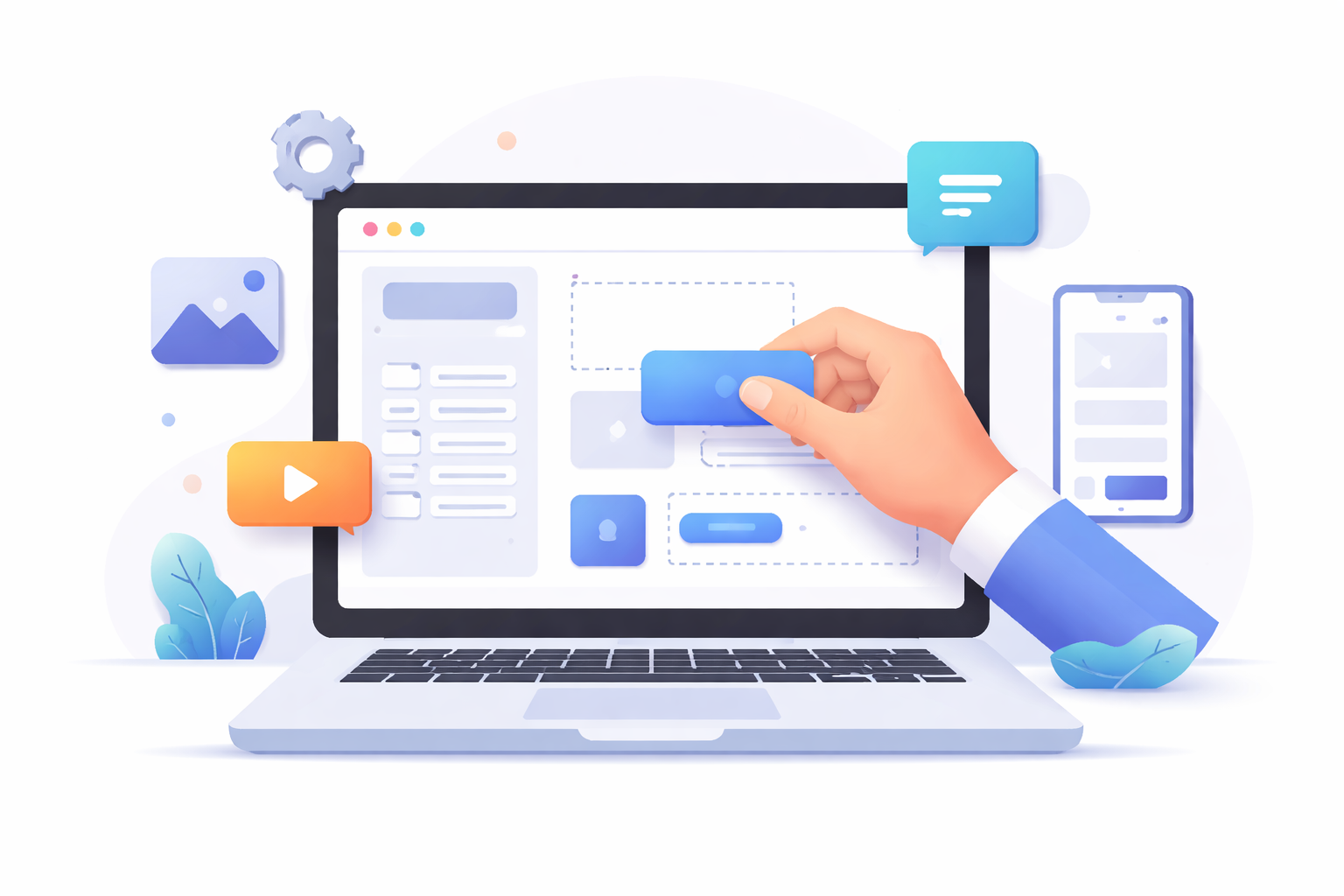
A drag-and-drop builder is a user-friendly tool that allows you to create applications by simply dragging elements and components into place on a visual interface. This approach to app development is revolutionary as it eliminates the need for extensive coding knowledge, which has traditionally been a significant barrier for many. Whether you use a mobile app builder, a custom web application builder, or a desktop-focused studio, many platforms also bundle application design services that streamline planning and prototyping. Instead of writing complex lines of code, users can focus on the design and functionality of their applications, making the development process more intuitive and accessible.
Types of Applications You Can Build
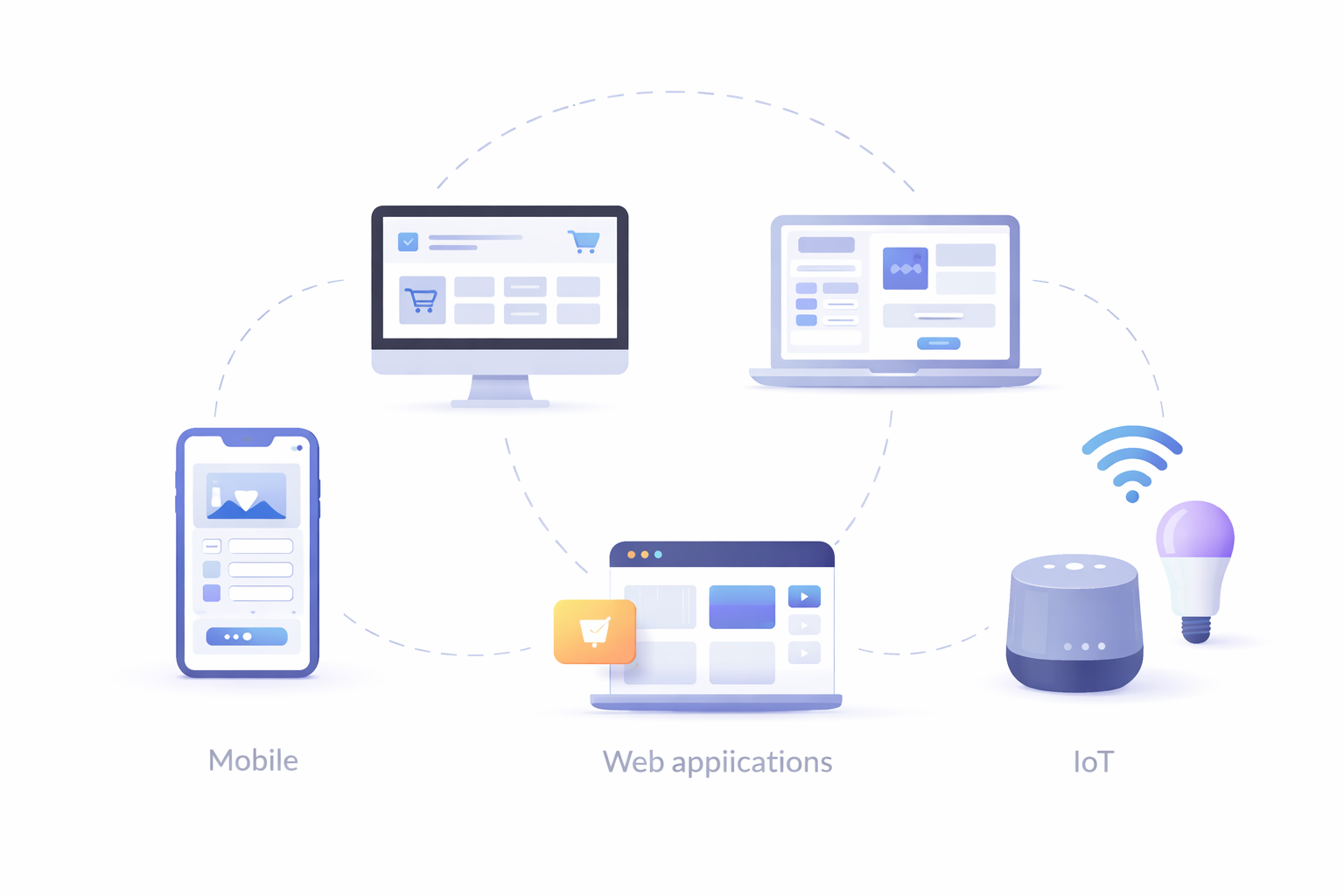
Drag-and-drop builders offer a diverse range of possibilities, allowing users to create various types of applications that suit different needs and platforms:
- Mobile Applications: Create apps for Android and iOS devices with a mobile app builder. These builders often include features that help you design user-friendly interfaces and integrate native functionalities.
- Web Applications: Design solutions using a custom web application builder or a web application creator for purposes ranging from e-commerce to personalized dashboards, without worrying about server-side coding.
- Desktop Applications: Develop software for Windows, macOS, or Linux using a custom desktop application builder. These builders enable users to create applications with cross-platform compatibility.
- IoT Applications: Build applications that interact with smart devices by leveraging an IoT custom application builder, enabling innovative solutions in smart home technology and industrial automation.
Benefits of Using a Drag-and-Drop Builder
Accessibility and Ease of Use
One of the main advantages of drag-and-drop builders is their accessibility. They allow anyone, regardless of technical expertise, to create functional applications. This democratization of custom app development opens doors for educators, small business owners, and hobbyists to bring their ideas to life. The intuitive interfaces are designed to guide users through the process seamlessly, lowering the learning curve traditionally associated with app development.
Moreover, these platforms often come with extensive support resources, including tutorials and community forums, making it easier for beginners to learn and troubleshoot as they build. This not only enhances the learning experience but also encourages more people to experiment with app development.
Cost-Effective Development
Traditional app development can be costly, often requiring a team of developers and designers. Hiring skilled professionals can significantly increase the budget, which can be a limiting factor for small businesses or independent creators. Drag-and-drop builders reduce these costs by allowing you to create applications independently or with a smaller team, saving time and resources.
Furthermore, these builders often come with affordable pricing models, such as monthly subscriptions, which make them accessible to a wider audience. Some platforms even pair visual tooling with application design services, helping teams align on UX without large up-front investments. This cost-effective approach allows startups and individual creators to allocate their budgets more efficiently, investing in other critical areas of their projects.
Faster Development Time
With pre-made templates and components, you can significantly reduce the time it takes to develop an application. This rapid development is especially beneficial for startups and small businesses looking to launch their products quickly. The ability to prototype and iterate rapidly allows businesses to respond to market demands and customer feedback in real-time.
Additionally, the streamlined process reduces the time spent on debugging and troubleshooting, as the builders handle much of the backend complexity. These app development tools not only speed up the development cycle but also help ensure a smoother experience for the end user.
How to Create a Custom Application Using a Drag-and-Drop Builder
Step 1: Define Your Application’s Purpose
Before you start building, it’s crucial to have a clear understanding of what you want your application to achieve. Are you creating a solution for higher education using a custom application builder for higher ed, like a learning management system? Or perhaps a custom deck builder application for card games, or even a custom PC builder application for configuring hardware? Defining the purpose will guide your design and functionality decisions.
By establishing a clear purpose, you can ensure that every feature and design element aligns with your goals, enhancing the overall user experience. This clarity also helps in setting measurable objectives and outcomes, which are essential for evaluating the success of your application post-launch.
Step 2: Choose the Right Builder
Selecting the right drag-and-drop builder is essential. Here are a few popular options to consider:
- nandbox: Ideal for creating native Android and iOS apps effortlessly. With a drag-and-drop interface, nandbox provides a seamless experience for building apps without the need for coding knowledge, making it an attractive choice for those looking to develop true native mobile applications quickly and efficiently.
- Appy Pie: Ideal for mobile apps with a straightforward interface that makes it easy for beginners to navigate.
- Bubble: Great for web applications with advanced customization options that cater to more complex project requirements.
- Thunkable: Suitable for creating both Android and iOS apps, offering a range of features for cross-platform development.
- OutSystems: Focuses on enterprise-level applications with robust features, making it suitable for organizations with specific demands.
Each builder offers unique features and capabilities, so it’s important to research and select one that aligns with your project’s needs and your technical comfort level. Many of these platforms function as comprehensive app development tools and, in some cases, provide application design services to accelerate delivery.
Step 3: Design Your Application
Once you’ve chosen a builder, start designing your application. Use the drag-and-drop interface to add elements like buttons, images, and text fields. Most builders offer a variety of templates and themes to help you get started.
Take advantage of these design tools to create a visually appealing and user-friendly interface. Consider your target audience and design your application to meet their preferences and expectations. An intuitive design enhances user engagement and satisfaction, which are critical factors for the success of any application.
Step 4: Customize Functionality
Customization is where your application can truly stand out. Define the logic and workflows that will dictate how your app operates. Most builders offer visual scripting or logic flows to help you set up interactions without coding. This feature allows you to create dynamic and responsive applications that cater to specific user needs.
As you customize, consider incorporating feedback from potential users or stakeholders to ensure the functionality aligns with their expectations. This iterative process helps refine your application, making it more effective and user-centric.
Step 5: Test Your Application
Testing is a critical step in the development process. Use the builder’s preview or testing features to ensure your application works as intended. Check for any bugs or issues and make necessary adjustments before launching.
Conducting thorough testing helps identify potential problems that could affect user experience. Consider different scenarios and use cases to ensure your application is robust and reliable. This proactive approach minimizes the risk of post-launch issues, which can be costly and time-consuming to fix.
Step 6: Deploy Your Application
Once you’re satisfied with your application, it’s time to deploy it. Depending on the type of app, this could mean publishing to the Google Play Store or Apple App Store or hosting a web application on a server. Follow the builder’s guidelines for deployment to ensure a smooth launch.
Deployment is a crucial phase where your application goes live to users. Ensure you follow best practices for app submission, including adhering to platform guidelines and optimizing your app for performance. A successful deployment is the culmination of your efforts and the first step in engaging with your audience.
Considerations for Using Drag-and-Drop Builders
Scalability
While drag-and-drop builders are excellent for creating simple to moderately complex applications, consider whether they can scale with your needs. For larger projects, you might need to transition to more traditional development methods as your application grows.
Scalability is crucial for businesses expecting rapid growth or increased user demand. Evaluate whether the builder can support your application’s future expansion plans, including the ability to integrate new features and handle increased data loads.
Customization Limits
Although these builders offer a range of customization options, they might not provide the full flexibility of custom coding. Evaluate whether the builder can meet all your specific requirements before committing.
Consider any unique functionalities or integrations your application might require and verify if the builder supports them. If not, you may need to weigh the benefits of a visual platform against the potential need for custom app development or bespoke custom software solutions in the future.
Security Concerns
Security is a vital aspect of any application. Ensure the builder you choose follows best practices for data protection and complies with relevant regulations, especially if your app handles sensitive information.
Investigate the security features offered by the builder, such as data encryption, user authentication, and compliance with standards like GDPR or HIPAA. Prioritizing security from the start helps protect your users’ data and builds trust in your application.
Conclusion
Drag-and-drop builders have revolutionized the way custom applications are developed. They empower individuals and businesses to create tailored solutions without the need for extensive coding knowledge. By following the steps outlined in this article, you can harness the power of these tools to develop your own custom applications efficiently and effectively.
Whether you’re looking to create a mobile app, a custom desktop application, or a web solution, these builders offer the flexibility and ease of use that can bring your vision to life. They provide a platform for creativity and innovation, allowing you to focus on what matters most: delivering value to your users. For teams that later outgrow a visual tool, you can bridge into custom app development to extend features and performance while preserving lessons learned. So, why wait? Start building your custom application today with a custom application builder and join the growing community of creators transforming ideas into reality.
Q&A
What is a drag-and-drop builder, and why should I use one?
A drag-and-drop builder lets you assemble apps visually by placing UI elements and defining logic without extensive coding. It’s accessible to non-developers, reduces costs by minimizing the need for large dev teams, and speeds up delivery with templates and prebuilt components. Most platforms also provide tutorials and community support, lowering the learning curve and helping you iterate quickly based on feedback.
Which builder should I choose to create an app?
Match the builder to your app type, complexity, and comfort level. nandbox offers a user-friendly interface and create true native iOS and Android apps, Appy Pie is beginner-friendly for mobile apps; Bubble excels at web apps with advanced customization; Thunkable targets cross-platform Android and iOS; and OutSystems suits enterprise-grade needs with robust features. Review each platform’s capabilities, pricing, and support to ensure they align with your requirements.
What are the key steps to build and launch an app with a drag-and-drop builder?
- Define your app’s purpose: clarify goals and success metrics.
- Choose the right builder: select a platform aligned with your needs.
- Design the UI: drag in buttons, images, text fields; start from templates.
- Customize functionality: use visual logic/flows to create interactions.
- Test thoroughly: preview, fix bugs, and validate different use cases.
- Deploy: publish to app stores or host on the web per the builder’s guidelines.
How do I ensure security and compliance when using a drag-and-drop builder?
Choose a platform that documents strong security practices and supports essentials like data encryption and user authentication. Confirm compliance capabilities relevant to your app (e.g., GDPR or HIPAA). Bake security into your process from the start—understand how data is stored, who can access it, and how the platform helps you meet regulatory requirements.