For years, turning a brilliant business idea into a functioning mobile app required either a bank loan or a computer science degree. Traditional development agencies frequently quote starting prices around $20,000, a financial barrier that has stopped countless entrepreneurs before they could even begin. Today, that landscape has shifted entirely, bringing professional software power to anyone with a vision.
Building an app used to feel like constructing a house with your own hands, forcing you to lay every brick and wire every outlet manually. Now, using the best AI mobile app builder is more like describing your dream home to a smart robot and watching it assemble the pieces instantly. You focus on the layout and the design, while the artificial intelligence handles the heavy lifting behind the walls.
This new approach allows you to create app from prompt instructions using plain English rather than complex code—often called a “prompt to app” workflow. In practice, you simply type a description like “I need an app for my flower shop where customers can book deliveries,” and the software generates the technical structure for you. The barrier to entry has dissolved, meaning your creativity is now more valuable than technical skill.
We have moved from development cycles taking months to a “prompt-to-prototype” timeline measured in minutes. By reducing mobile app development costs with AI, tools costing under $100 a month have democratized software creation for non-technical founders everywhere.
What Exactly is an AI App Builder and How Does it ‘Think’?
Traditional no-code tools still require you to act like a designer, manually dragging every button and menu into place. The newest wave of artificial intelligence mobile app development changes this dynamic completely by introducing text-to-app generation technology. Instead of fighting with a complex layout editor, you simply type a natural language prompt like, “I need a booking app for my dental practice where patients can select hygiene slots.” The AI analyzes your request, understands the context, and generates the initial structure for you instantly. It is less like building furniture yourself and more like describing what you want to a professional architect who sketches the blueprints in seconds.
While many platforms claim to build apps, it is crucial to distinguish what they are actually creating. Some generators simply produce mobile-friendly websites that look like apps, while the best ai tools for app development generate “Native Apps” that live permanently on your phone’s home screen. If you just need to display a restaurant menu, a website is likely sufficient; however, if you need deep engagement, you need the power that comes with installing software directly onto a device.
When is a native app necessary for your business idea? Look for these three capabilities that generally separate a true app from a mobile website:
- Push Notifications: Pop up on your customer’s lock screen to announce a sale, keeping you top-of-mind even when the app is closed.
- Hardware Integration: Access the camera for scanning QR codes or GPS for tracking delivery drivers directly within the interface.
- Offline Functionality: Allow users to browse content or save data even when they lose their internet connection.
With these capabilities defined, specific platforms excel at different aspects of the building process.
The Heavy Hitters: 3 AI Platforms That Build the App For You
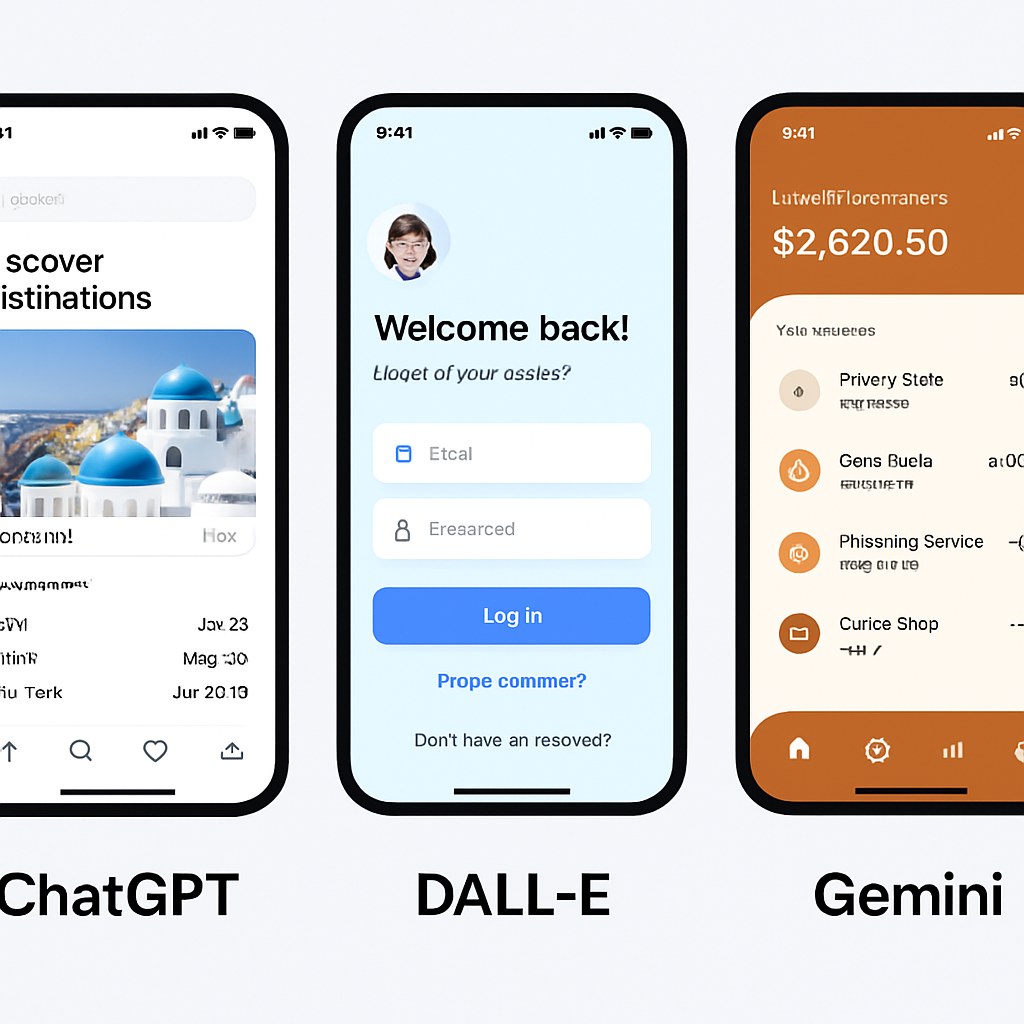
Finding the best ai mobile app builder can feel like searching for a needle in a haystack because virtually every software company now claims to use “AI” to solve your problems. To save you from testing dozens of dead-end trials, we have narrowed the field down to three platforms that genuinely deliver on their promises. These tools represent the top-rated no-code platforms for 2026, but they approach the building process from completely different angles—from total automation to data-driven design.
If you to convert your idea into a fully functional native app for both iOS and Android using AI, nandbo can help you achive that. Unlike other tools that rely on templates or drag-and-drop editors, nandbox analyzes plain-English prompts and generates a production-ready app structure automatically.
Its standout feature, App Builder GPT, lets you create a native app simply by chatting with ChatGPT. Describe your concept in natural language “I need a booking app for my boutique” or “Create a marketplace for local artisans” and the AI builds the app’s core structure, complete with push notifications, offline functionality, and hardware integrations, all without writing a single line of code.
For founders, startups, and non-technical creators, nandbox delivers a scalable, real-world app in minutes, bridging the gap between your idea and a fully installed mobile application. It’s AI not just for mockups, but for building true, deployable apps that live on your users’ home screens.
If you want a “white-glove” experience where you act more like a project manager than a creator, Builder.ai is likely a good option. Unlike standard drag-and-drop editors, this platform uses an AI named “Natasha” to break your idea down into a feature list. You simply tell the AI, “I want an app for my dog walking business,” and it suggests the necessary components, such as a GPS tracker and a payment gateway. The platform then combines pre-built software blocks to assemble your application. This approach is more expensive than a typical monthly subscription, but it guarantees a professional result without you needing to touch a single design element.
For the hands-on entrepreneur who wants full control over the look and feel without writing code, Appy Pie remains a dominant force. Its text-to-app features allow you to describe your business, and the AI sets up a relevant color scheme and layout instantly. This platform is particularly strong for local businesses—like gyms or restaurants—that need to launch quickly on both Apple and Android. It handles the complex technical packaging for you, generating the app creator apk (the file type needed to install an app on Android devices) so you don’t have to learn how to compile software yourself.
Business owners who already live in spreadsheets should look immediately at Softr. This tool is distinct because it builds your app based on data you already have in Google Sheets or Airtable. Instead of focusing on flashy animations, Softr excels at logic and organization. If you have a list of 500 employees and need an internal directory, or a catalog of real estate listings, Softr reads that data and instantly visualizes it as a mobile-friendly app. It turns your boring rows and columns into a functional, interactive user interface in minutes.
To help you make the final call, here is how these platforms stack up for different needs:
- nandbox: Best for founders who want fully AI-driven native apps that can go from concept to full-featured native iOS and Andoid quickly.
- Builder.ai: Best for entrepreneurs with a budget who want a guaranteed, professionally managed result.
- Appy Pie: Best for small businesses needing a native mobile presence for customers.
- Softr: Best for internal business tools and client portals based on existing data.
Once you have selected the tool that fits your style, translating your vision into instructions is the next hurdle to going from a blank screen to a working prototype.
How to Go From a Single Prompt to a Functional Prototype in One Afternoon
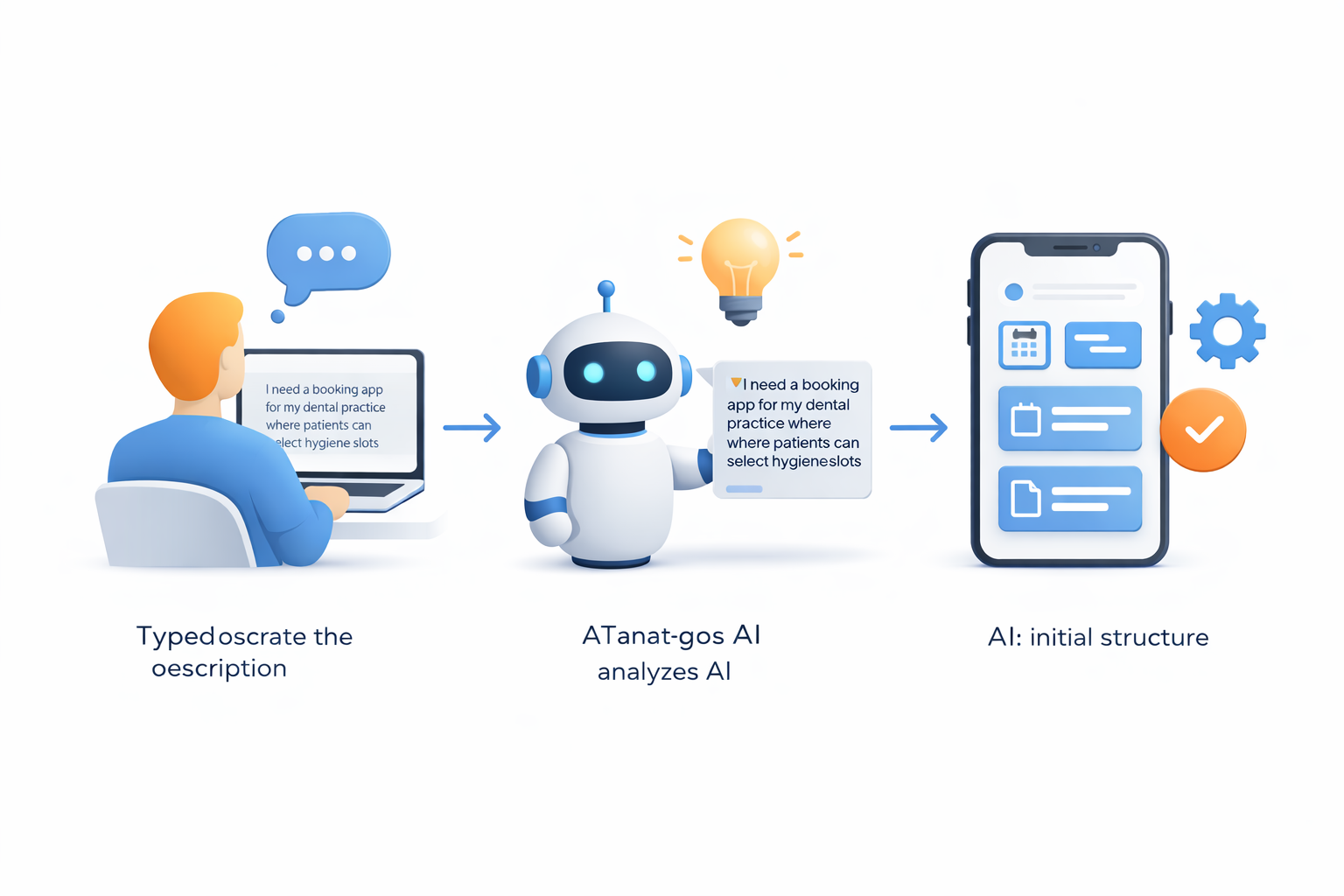
Talking to an AI builder isn’t like chatting with a human developer who can intuitively guess your business model. If you simply type “I want an Uber for pet sitting,” the AI might generate a ride-sharing interface instead of the booking calendar you actually need. Success in how to build an app using natural language prompts depends entirely on the specific details you feed the system upfront; you must provide context, user roles, and core actions immediately to prevent the software from guessing incorrectly in any “prompt to app” process.
To ensure the AI understands your vision on the first try, structure your initial request using this four-part formula:
- The User Role: Define who is holding the phone (e.g., “A field technician” vs. “A retail customer”).
- The Core Problem: State exactly what the user needs to achieve (e.g., “Logging repair hours while offline”).
- The “Must-Have” Features: List the non-negotiables (e.g., “Camera access for photo proof, GPS stamping, and digital signature capture”).
- The Visual Vibe: Describe the aesthetic to guide the color palette (e.g., “High contrast with large buttons for outdoor visibility”).
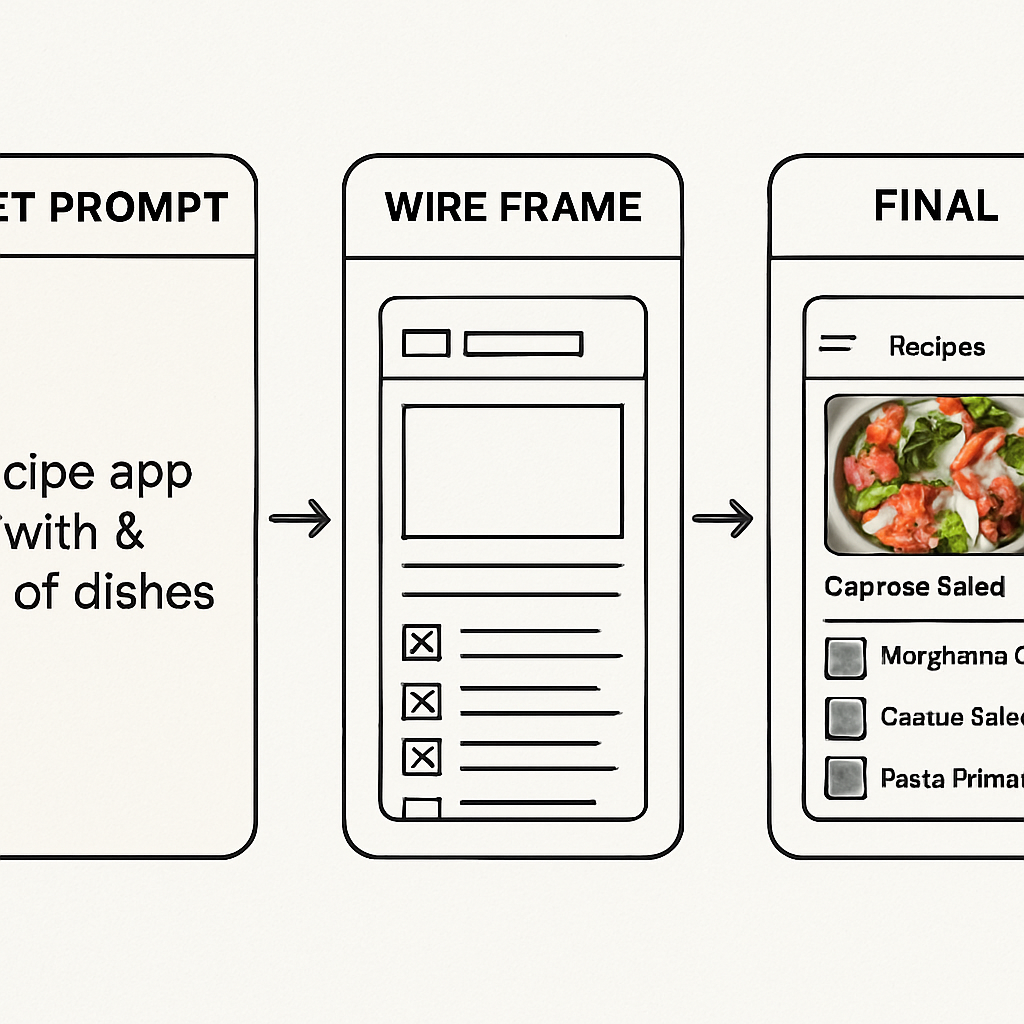
![A visual step-by-step flowchart showing the transition from a text prompt to a wireframe to a final mobile screen. The first panel shows a text box with a detailed prompt, the second panel shows a black-and-white skeletal layout (wireframe), and the third panel shows a fully colored, polished mobile interface with icons.]
Once the AI generates the initial layout, you enter the “wireframing” phase—think of this as sketching a blueprint before pouring the concrete. Modern platforms will generate interactive mobile app mockups using AI, allowing you to click through buttons and menus to test the flow before finalizing the design. This is the crucial moment to spot logic errors, such as a “Checkout” button that accidentally leads to a “Profile” page, and correct them with simple follow-up commands like, “Change the navigation so the cart icon is always visible.”
Refining these prototypes used to require weeks of back-and-forth emails with design agencies, often costing thousands in billable hours. Now, these steps to create mobile apps without coding can be completed in a single afternoon, giving you a working model to show potential partners or investors immediately. By eliminating the manual labor of initial design, you aren’t just saving time; you are drastically changing the financial math of launching a business.
Why AI Apps Are Slashing Development Costs by 80%
Launching a new mobile application traditionally required a budget resembling a luxury car purchase rather than a weekend project. If you hired a professional agency, you would likely pay upwards of $150 per hour for developers to write code from scratch, easily pushing the final bill between $20,000 and $100,000 depending on complexity. Reducing mobile app development costs with AI fundamentally changes this equation by shifting the model from “paying for labor hours” to “paying for software access.” Instead of funding weeks of manual typing, you simply pay a monthly subscription for a tool that generates the structure instantly, often dropping the initial investment from the price of a sedan to the price of a nice dinner.
Beyond the initial build, the most significant long-term savings come from eliminating the silent budget-killers known as backend maintenance and hosting. Think of the “backend” as the hidden plumbing and electricity that powers your app; in a traditional custom build, you are responsible for paying monthly server fees and hiring experts to fix leaks whenever Apple or Google updates their operating systems. Low-code development platforms for entrepreneurs handle this invisible infrastructure automatically as part of your subscription. The platform provider ensures your database stays connected and your app remains compatible with the latest iPhone updates, meaning you don’t need to keep a technical consultant on retainer just to ensure the app still opens tomorrow.
This drastic reduction in financial risk allows you to focus your capital on marketing and acquiring customers rather than servicing technical debt. You can launch a viable product, test the market, and start generating revenue without risking your life savings on a prototype. However, AI tools have architectural limits that may eventually require human intervention.
The ‘Reality Check’: What AI Can’t Build (And Where You Still Need a Human)
While AI is incredible for assembling standard features like login screens or photo galleries, it hits a wall when you need highly specific, never-before-seen functionality. Think of the difference between an AI app generator vs traditional development like buying a detailed Lego kit versus sculpting with raw clay. The kit guarantees a stable structure and looks professional, but you cannot melt the plastic bricks down to create entirely new shapes. If your app idea relies on proprietary algorithms—such as a tool that uses the microphone to diagnose car engine trouble based on sound patterns—a drag-and-drop AI builder lacks the flexibility you need.
Before committing to a subscription, check your idea against these complexity “Red Flags” that usually require a human software engineer:
- Heavy Hardware Interaction: Your app needs to talk to specific external devices, like a Bluetooth heart monitor or a drone.
- Real-Time Gaming: You are building a fast-paced multiplayer game with complex physics (like Fortnite or Roblox).
- Strict Compliance: You handle highly sensitive medical or financial data that requires custom encryption standards not offered by off-the-shelf platforms.
Furthermore, even the best AI for app development cannot fully automate the strict submission process demanded by Apple and Google. You might wonder, “Can I create an iOS app with AI and publish it instantly?” The answer is yes to the creation , but the publishing involves a manual review where a human inspector ensures your app meets safety and design guidelines. You will still need to personally set up developer accounts and write your privacy policy. Once you account for these boundaries, you are ready to start building.
Your 7-Day Action Plan to Launch Your App This Week
Imagine seeing your business icon on a customer’s home screen by next week. You have moved from needing a developer to commanding the best ai mobile app builder yourself. The technology is ready; the only missing piece is your initiative. Instead of letting your concept gather dust, use this schedule to start converting app ideas into functional prototypes.
- Day 1: Sign up for a free trial on your chosen platform.
- Day 2: Input your prompt to generate the initial structure.
- Day 3: Customize your brand colors and upload a logo.
- Day 4: Add your specific text, products, or images.
- Day 5: Test every button and link on your actual phone.
- Day 6: Send the test link to five friends for feedback.
- Day 7: Publish the web-app version for your first users.
Stop waiting for the “perfect” time. The best ai to create mobile app solutions thrive on speed. Commit to Day 1 right now and turn your “what if” into a downloadable reality.
Frequently Asked Questions
What is an AI app builder, and how is it different from traditional no-code tools?
AI app builders use text-to-app generation: you describe your idea in plain English, the AI analyzes the context, and it instantly sketches the app’s initial structure—more like telling an architect what you need than manually placing every button. Traditional no-code tools still expect you to drag-and-drop layouts yourself. To get accurate, “prompt-to-prototype” results in minutes, be specific up front. Use this 4-part prompt formula:
- The User Role: who is using the app
- The Core Problem: what they need to accomplish
- Must-Have Features: non-negotiables (e.g., camera, GPS, signatures)
- The Visual Vibe: aesthetic guidance (e.g., high contrast, large buttons)
When do I need a native app instead of a mobile website?
Choose a native app when you need capabilities that go beyond a mobile-friendly site:
- Push Notifications: reach users on the lock screen
- Hardware Integration: camera (QR scans), GPS (driver tracking), etc.
- Offline Functionality: browsing/saving data without internet If you only need to display simple content (like a restaurant menu), a mobile website may be sufficient. For deeper engagement and on-device presence, go native.
How do nandbox, Builder.ai, Appy Pie, and Softr differ—and who are they best for?
- nandbox: Best for founders who want fully AI-driven native apps for iOS and Android. Using plain-English prompts, nandbox generates production-ready app structures that include essential features like push notifications, offline use, and hardware integration. Its App Builder GPT demonstrates how conversational AI can be used to translate ideas directly into a working app prototype.
- Builder.ai: Best for founders with a budget who want a managed, “white-glove” build. Its AI (“Natasha”) breaks your idea into features, then combines pre-built blocks (with human help) for a professional result. It’s pricier than typical monthly subscriptions, and you act more like a project manager.
- Appy Pie: Best for small/local businesses that want fast, native apps on Apple and Android. Text-to-app sets colors/layouts, it handles packaging and publishing, and it can generate the Android APK so you don’t compile code yourself.
- Softr: Best for internal tools and client portals driven by existing data in Google Sheets or Airtable. It excels at structure and logic, turning rows/columns into a usable, mobile-friendly interface without moving your data.
Are AI app builders really that much cheaper, and where do the savings come from?
Yes, costs can drop dramatically because you pay for software access instead of developer hours. Traditional builds often ran $20,000–$100,000 at ~$150/hour. AI tools flip that to affordable subscriptions (often under $100/month), generating the initial structure instantly. Ongoing savings are even bigger: the platform handles backend hosting, maintenance, and OS compatibility updates as part of your subscription, reducing the need for server bills and on-call specialists. That lets you spend more on marketing and customer acquisition instead of technical overhead.
What can’t AI app builders do yet, and what still requires a human?
You’ll likely need human engineers for:
- Heavy Hardware Interaction: integrating with external devices (e.g., drones, medical Bluetooth monitors)
- Real-Time Gaming: fast multiplayer with complex physics
- Strict Compliance: highly sensitive medical/financial data needing custom encryption beyond off‑the‑shelf options Also, while AI can create an iOS/Android app, publishing isn’t fully automated. Apple and Google still perform manual reviews, and you must set up developer accounts and provide essentials like a privacy policy.