Thinking about how to create an app for your business can feel both exciting and completely overwhelming. You can picture it: customers booking appointments or earning loyalty points with a single tap. But then the questions hit. Where do you start? Before you spend a dime, let’s figure out if an app is truly a must-have or if a great mobile-friendly website—which is often the best first step—is enough.
The difference between a mobile app vs. a mobile website comes down to three unique powers that only an app possesses. Unlike a website, an app lives on a customer’s phone, allowing for instant communication through push notifications. Think of a local boutique sending an alert for a flash sale. Many apps can also offer offline access to information, a feature that’s crucial for users with spotty connections.
Furthermore, apps can integrate directly with a phone’s hardware in ways a website can’t. They can use the GPS to offer location-based deals—like a café notifying a customer they’re near a “Happy Hour”—or tap into the camera for more interactive user engagement. These features create a stickier, more valuable experience that encourages repeat business.
To see if these advantages are right for you, ask yourself these four questions:
- Do I need to send instant alerts for sales, appointments, or updates?
- Do my customers need to access information even when they’re offline?
- Is frequent, repeat interaction like loyalty programs or quick bookings key to my business?
- Would using the phone’s camera or GPS create a valuable, can’t-get-anywhere-else experience?
The 3 Paths to Get an App Made: DIY, Freelancer, or Agency
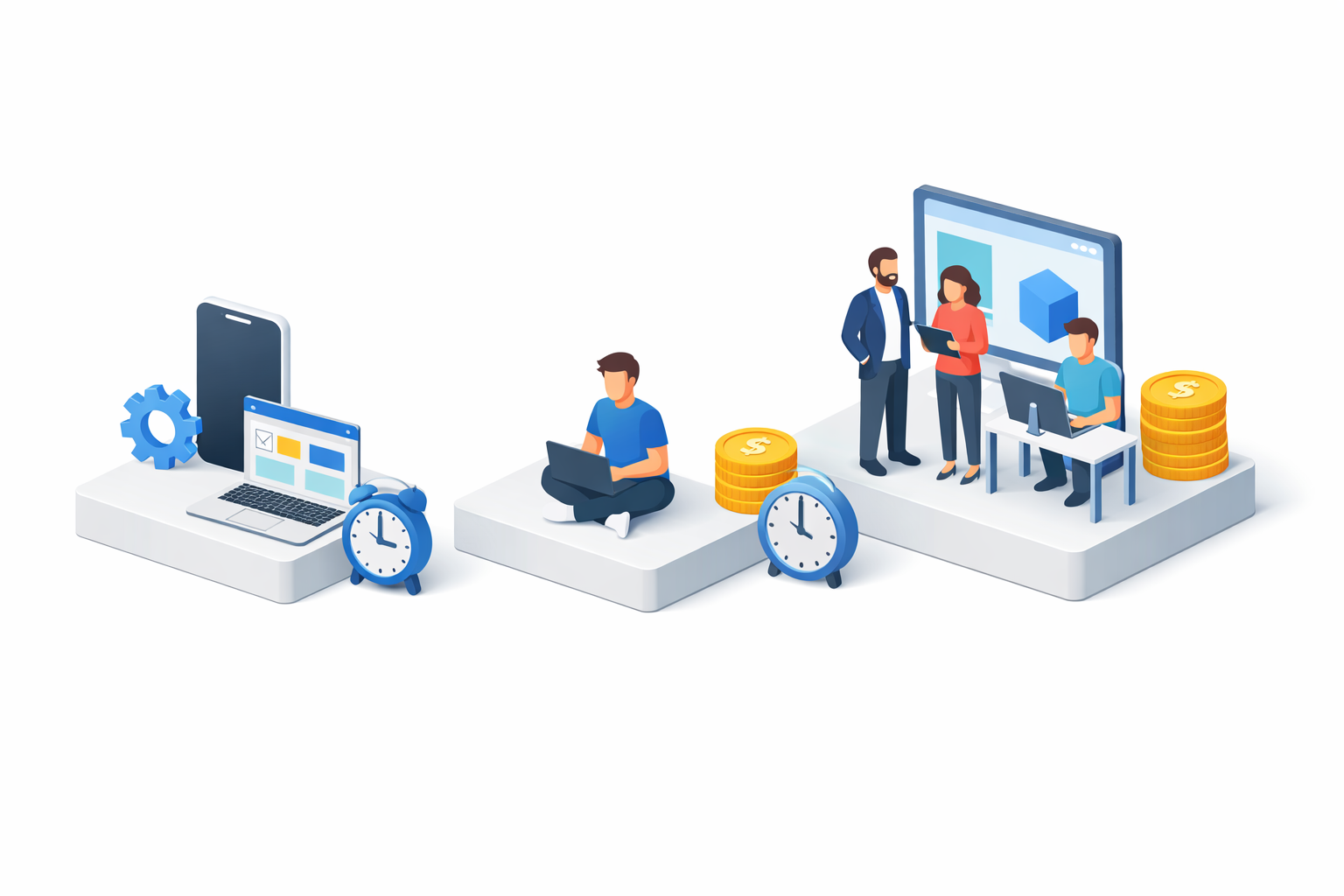
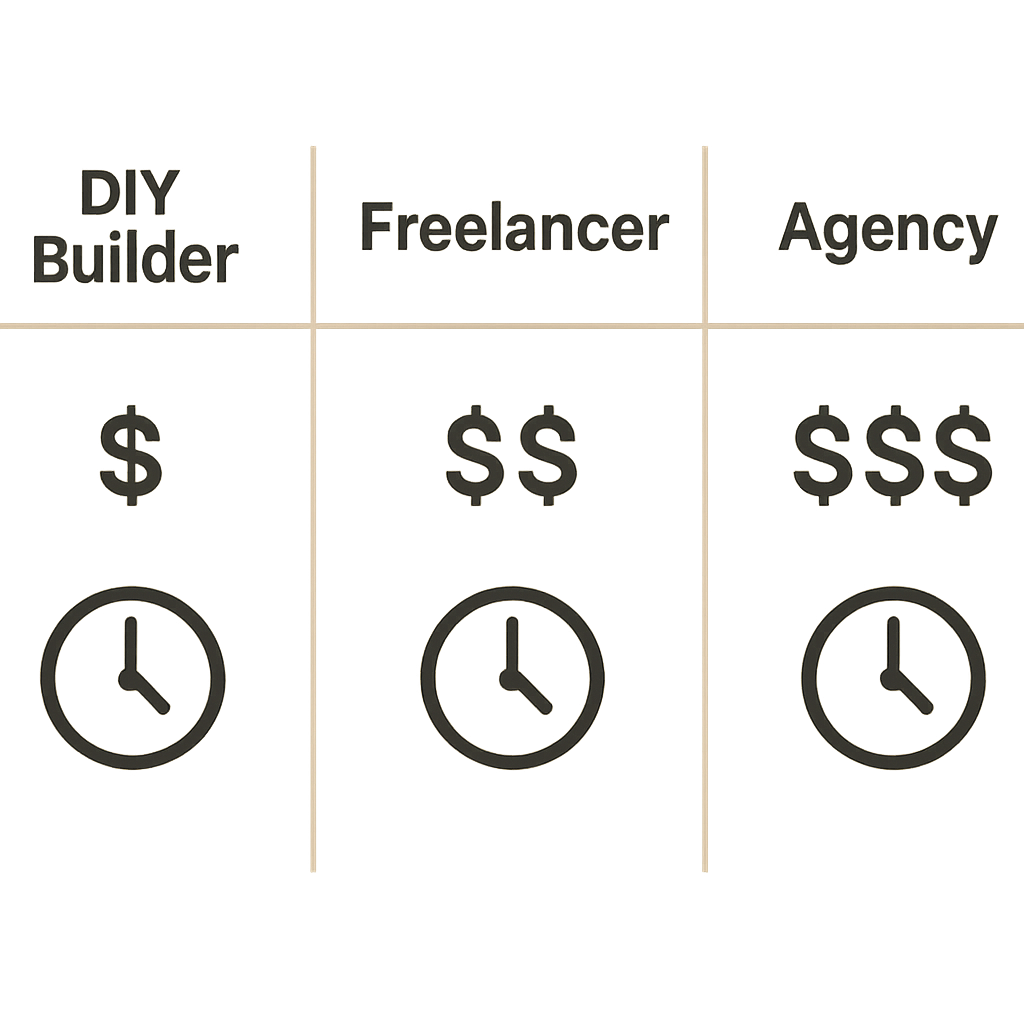
Once you’ve decided an app could benefit your business, the next big question is a practical one: how do you actually get it made? The answer comes down to a trade-off between your budget and your own time. Generally, you have three distinct paths to choose from, each with its own balance of cost and personal effort.
The first path is the Do-It-Yourself (DIY) route using a “no-code” app builder. Think of these platforms like Squarespace or Wix, but for creating mobile apps. You use drag-and-drop tools to piece together pre-built features without writing any code. This is by far the most budget-friendly option, often costing less than a hundred dollars per month, but it requires you to invest your own time to build and manage the app.
If you have more budget than time, you can hire a professional. This second path involves finding a freelance developer. A freelancer is a single expert you hire to build your app, which gives you a custom product without the overhead of a large team. Deciding to hire a developer over using an app builder typically means a starting cost of around $5,000 to $20,000 for a simpler app.
Finally, for the most complex projects or for businesses that want a completely hands-off experience, there is the agency path. An agency provides a full team—designers, developers, and project managers—to handle everything from strategy to launch. This is the most expensive route, with projects often starting at $25,000 and scaling up significantly from there. There is no single “best” path, only the one that best fits your specific goals and resources.
Path 1: The DIY Route with a No-Code App Builder
Diving into the DIY path means becoming your own app creator, and no-code app development platforms are your toolkit. Think of them like Squarespace or Wix, but for building apps. Instead of writing code, you visually assemble your app from a library of pre-built features like “user login,” “image gallery,” or “contact form.” You choose a template, drag and drop the elements you need, and customize the colors and branding to match your business.
This approach is a perfect fit for businesses that need to solve a straightforward problem or provide a simple convenience for their customers. It’s important to note that web app builders typically create applications accessible via a browser, whereas native app builders, such as nandbox, allow you to develop applications designed specifically for mobile devices, enhancing performance and user experience. It’s not for building the next Instagram, but it’s fantastic for creating a high-value app that serves a clear purpose. A small business app maker like this is ideal for:
- Loyalty programs (e.g., a digital punch-card for your café)
- Simple booking forms (e.g., for a salon or consulting service)
- Event schedules and info
- Internal team directories or resources
- Product catalogs that link to your online store
The major advantage here is the price. For a monthly fee often under $100, you can have a functional app in the Apple and Google Play stores. The trade-off is your own time; you are the designer, builder, and troubleshooter. However, if your app idea requires unique features that don’t fit into these pre-made templates, you’ll need a more custom approach.
Path 2: Hiring a Freelancer for a Custom Fit
When your app idea is too specific for a no-code builder but doesn’t require a full agency, hiring a freelance app developer is often the perfect middle ground. A freelancer is a specialist you hire to build custom business apps with unique features, like a real-time tracking function for your delivery service. It’s like hiring a skilled carpenter for custom shelves when a standard bookshelf won’t fit. You get a precise solution for a well-defined need without the overhead of a large team.
Finding the right person is easier than you might think. Websites like Upwork are vast marketplaces where you can post your project and vet developers based on their reviews and portfolios. For more complex projects, services like Toptal offer a pre-vetted network of elite talent. These platforms provide a layer of security and transparency, helping you find and assess a qualified developer for your project.
Before you hire anyone, the most critical step is to clearly define your app’s core purpose in a simple document—this is your project scope. With that in hand, don’t just ask a potential developer, “Can you build my app?” Instead, ask, “Can you show me an example of a similar feature you’ve built before?” This powerful question shifts the conversation from promises to proof, giving you confidence they can deliver. If your project scope becomes too large for one person to handle, that’s a sign you might need the broader team an agency provides.
Path 3: Partnering with an Agency for a Strategic Build
When your app idea grows beyond what a single person can handle, or if it’s absolutely critical to your business operations, it’s time to consider the third path: partnering with an agency. This is the most comprehensive approach to creating business applications, akin to hiring a general contractor to build a commercial building instead of just a carpenter for a single room. It’s for when the project’s success is tied directly to your company’s future.
Instead of hiring just one developer, an agency brings a full team. You’ll have a Project Manager as your dedicated point of contact, ensuring the project stays on schedule and on budget. You will also work with a UI/UX Designer—a specialist focused entirely on making the app intuitive and enjoyable for your customers. This design work happens long before any code is written, ensuring the final product makes sense from a user’s perspective.
A good agency also acts as a strategic partner. They help you refine your idea and can even help build out your mobile app business plan to ensure it has a clear path to success. Their goal is to understand your business first, then build the technology to support it.
This full-service approach is the most significant investment, often starting in the tens of thousands of dollars. However, for complex projects, it’s also the path that minimizes your risk and delivers a polished, professional outcome. Regardless of which path you choose, the next step is always the same: defining the simplest possible version of your app to start with.
How to Start Smart: Define Your Minimum Viable Product (MVP)
After deciding how you’ll build your app, it’s tempting to create a list of every feature you’ve ever dreamed of. This is one of the most common and costly mistakes. Instead of trying to build the entire car at once, the smart approach is to start with the skateboard. In the app world, this is called a Minimum Viable Product, or MVP.
Think of it this way: a successful restaurant doesn’t launch with a 50-page menu. It tests a new dish as a “special” to see if customers like it before adding it permanently. Your MVP is that special. It’s not a cheap or broken version of your app; it’s the simplest, most focused version that solves one core problem for your customers exceptionally well. This approach drastically reduces your initial investment and risk.
To find your own MVP, ask this critical question: “What is the single most important action I want a customer to take with this app?” Is it booking a class? Earning a loyalty stamp? Requesting a quote? That one action is your starting point. Defining this is the most crucial part of the early mobile app development lifecycle because it provides a clear target for everyone involved.
Launching a focused MVP is the first real step in your app creation journey. It allows you to get your idea into the hands of real customers quickly, gather feedback, and prove your concept is valuable before investing further. But once your app is live and delivering value, the journey isn’t over. You need to be prepared for what comes next.
The Cost of Building Your App
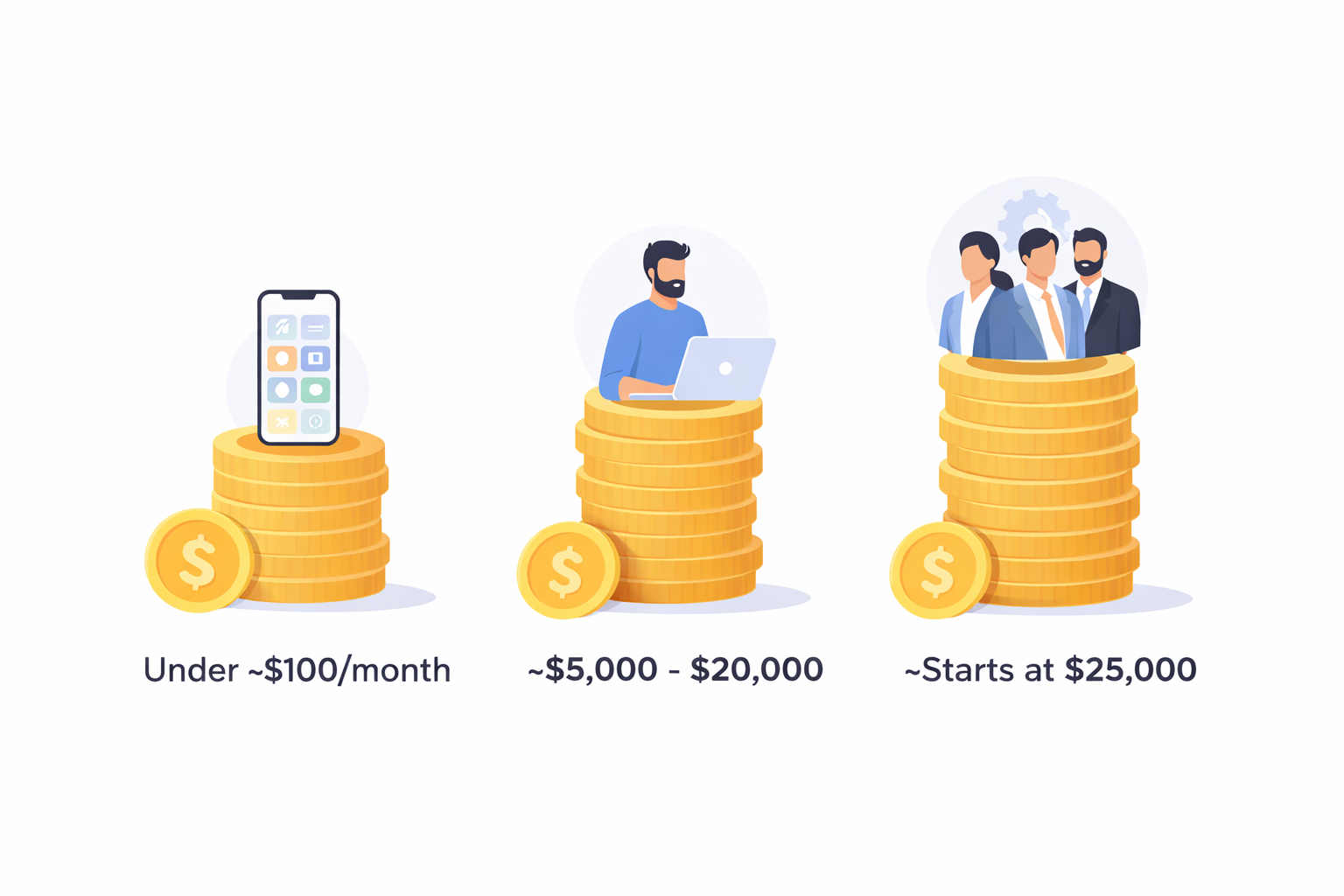
How much does it cost to make an app for a business? The business app development cost can vary widely based on factors like complexity, backend infrastructure, and feature set. DIY no-code builders can typically range under ~$100/month, making them the most budget-friendly option.
- DIY No-Code Builders: Under ~$100/month for basic features with minimal investment.
- Freelancer Development: Approximately $5,000 to $20,000 for simpler apps, depending on the complexity and unique feature set required.
- Agency Development: Starts around $25,000 and can scale higher, offering comprehensive services including project management and design.
Native no-code platforms like nandbox can reduce upfront development costs compared to custom builds while still delivering a tailored app experience. Remember, these ranges are just estimates, and the final cost will largely depend on the specific features and functions you need for your app.
The Hidden Cost Nobody Talks About: App Maintenance
Launching your app is like driving a new car off the lot—the initial purchase is just the beginning. To keep it running smoothly, securely, and effectively for your customers, it needs regular attention. This ongoing support is the part of the journey many first-time app owners overlook, but planning for it is crucial for long-term success.
A reliable industry rule for budgeting is to set aside 15-20% of your initial development cost for annual maintenance. So, if your MVP cost $15,000 to build, you should plan for about $2,250-$3,000 per year to keep it in top shape. Factoring this into your calculations is a core part of any realistic app development guide and prevents major budget surprises down the road.
So, what does that maintenance fee actually cover? It’s not for adding major new features, but for essential upkeep that keeps your app functional and secure. This typically includes:
- Operating System (OS) Updates: Ensuring your app doesn’t break when Apple and Google release new versions of iOS and Android.
- Bug Fixes: Squashing any glitches or errors that users discover after launch.
- Security Patches: Protecting your app and your customers’ data from new vulnerabilities.
- Minor Tweaks: Making small improvements based on user feedback or performance data.
Your First Action Plan to Get an App for Your Business
Creating an app for your business can feel overwhelming, but you now have a clear roadmap. Instead of guessing, you have a strategic framework for understanding the costs, options, and crucial first steps. Your journey from idea to action starts now. Don’t try to solve everything at once; just focus on your immediate next move.
Your Next 3 Steps:
- Confirm Your ‘Why’: Use the ‘App vs. Website’ checklist from the article to be certain an app is the right tool for your specific business goal.
- Define Your ‘What’: Pinpoint the single most important problem your app will solve. This is the core feature for your Minimum Viable Product (MVP).
- Choose Your ‘How’: Based on your budget and MVP, select your starting path. Will you research a no-code small business app maker, draft a project scope for a freelancer, or schedule a consultation with an agency?
The goal was never to learn how to code, but to learn how to make a smart business decision. You now see that an app isn’t a mysterious piece of technology; it’s a tool, and you know how to choose the right one for the job. Whether your next step is clicking around a DIY builder or preparing for your first call with a developer, you are now equipped to build your business, not just an application.
Frequently Asked Questions
Do I really need an app, or is a mobile-friendly website enough?
Short answer: Start with your business goal and the unique advantages of apps. Apps excel when you need push notifications (e.g., instant sale alerts), offline access, or deep phone integration like GPS for location-based deals or the camera for interactive features. Use this quick check:
- Do you need to send instant alerts?
- Do customers need offline access?
- Is frequent, repeat interaction (loyalty, quick bookings) essential?
- Would GPS/camera create a unique, high-value experience? If you answer “yes” to several, an app may be worth it. Otherwise, a great mobile website is often the smarter first step.
Which path should I choose to build my app, and what will it cost?
Short answer: Choose based on budget, complexity, and how much of the work you want to do yourself.
- DIY no-code builder: Under ~$100/month; fastest and most budget-friendly, but you invest your time. Best for straightforward apps (loyalty, simple booking, event info).
- Freelancer: Roughly $5,000–$20,000 for a simpler custom app; a good middle ground when you need features beyond templates.
- Agency: Starts around $25,000 and can scale higher; best for complex, high-stakes projects with a full team (PM, UI/UX, developers). There’s no single “best” path—pick the one that fits your goals and resources.
How do I hire and vet a freelancer effectively to create an app?
Short answer: Write a clear project scope that defines your app’s core purpose and features. Use marketplaces like Upwork to browse portfolios and reviews, or Toptal for pre-vetted talent. Don’t just ask “Can you build this?”—ask “Can you show an example of a similar feature you’ve built?” This shifts the discussion from promises to proof. If your scope becomes too large for one person, that’s a sign you may need an agency’s broader team.
What is an MVP, and how do I define mine?
Short answer: A Minimum Viable Product (MVP) is the simplest version of your app that solves one core problem exceptionally well—think “start with the skateboard, not the car.” Define it by asking: “What is the single most important action I want a customer to take?” (e.g., book a class, earn a loyalty stamp, request a quote). Launching a focused MVP reduces cost and risk, gets you to real users faster, and lets you improve based on actual feedback.
What ongoing maintenance should I plan for after launching my app?
Short answer: Budget 15–20% of your initial development cost annually. Maintenance keeps your app secure and reliable and typically covers:
- OS updates (iOS/Android changes)
- Bug fixes
- Security patches
- Minor tweaks and improvements It’s not for major new features, but it prevents unpleasant surprises and keeps your app running smoothly.