How No-Code Services Can Revolutionize Your Hiring Process
How to create an app without programming experience is now easier than ever with no-code app builders. These platforms let you create apps without writing a single line of code, using visual interfaces where you can drag and drop elements to design your app. This makes them an ideal solution for beginners who want to start app development without learning complex programming languages. With the right no-code app builder, you can bring your app idea to life and create mobile apps for iOS and Android.
How Do No-Code App Builders Work?
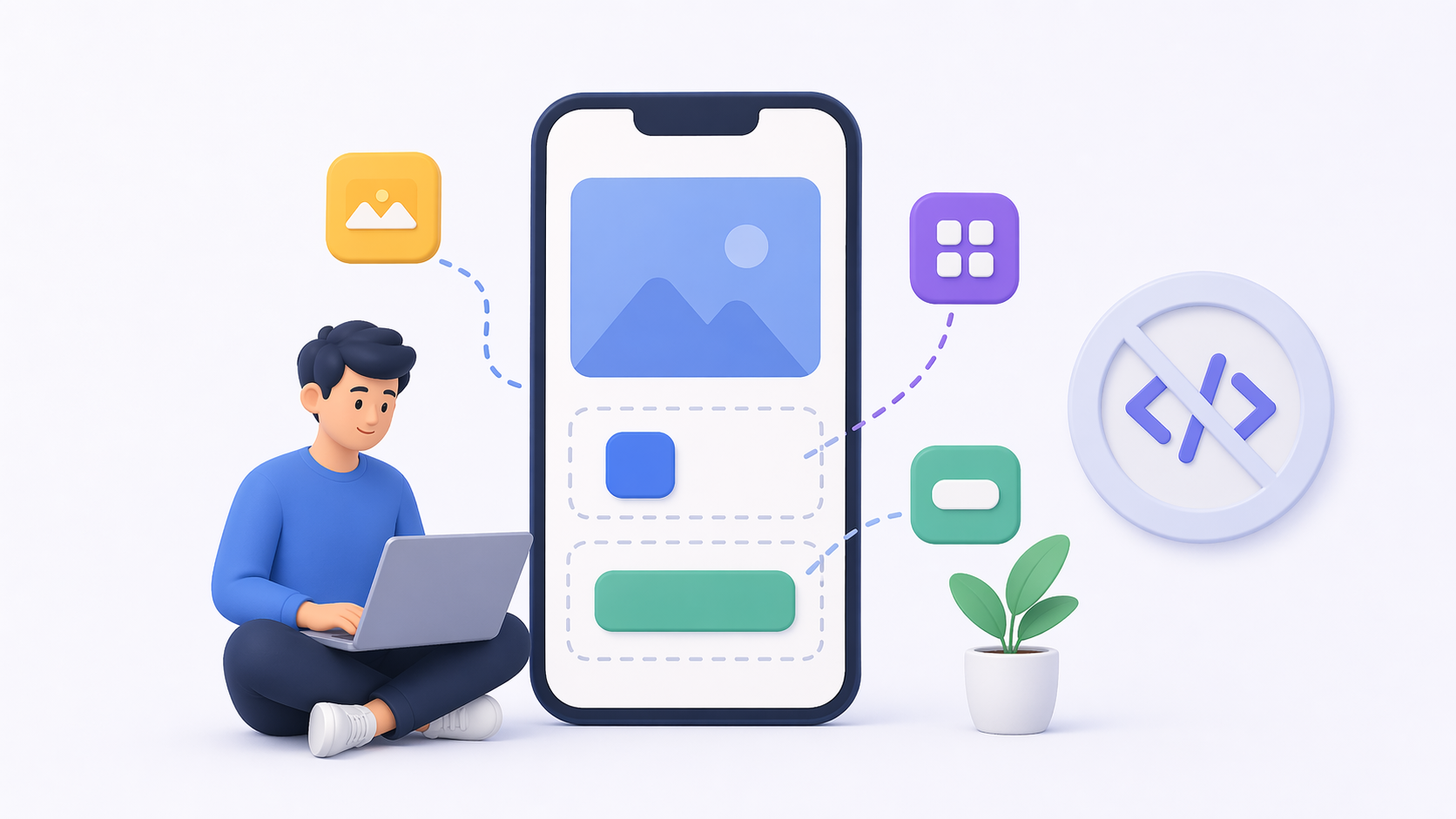
No-code app builders operate using a visual development approach. This means you can see your app’s design in real-time as you build it. Drag-and-drop functionality allows you to select components such as buttons, forms, and images and position them on your app’s interface. This interactive process makes DIY app creation more intuitive and less intimidating.
These platforms come with pre-built templates and customizable modules. Templates provide a starting point, especially if you’re unsure how to layout your app. Modules, on the other hand, are individual components like login systems or payment gateways that can be added to your app. This modular approach streamlines the development process.
Additionally, no-code platforms often include backend management systems. These systems handle database operations, user authentication, and other server-side tasks. By managing these complex processes behind the scenes, no-code platforms allow you to focus on the design and functionality of your app without worrying about technical details.
Types of No-Code App Builders
There are various types of no-code app builders tailored for different needs. Some focus on e-commerce, providing tools to create online stores with inventory management and payment processing features. Others are designed for building social media apps, including features like user profiles and messaging systems. There are also platforms specifically for enterprise solutions, offering integrations with existing business tools and CRM systems.
Each type of no-code builder has unique strengths, making it essential to choose one that aligns with your app’s purpose. Consider your app’s primary function and select a platform that specializes in that area for optimal results. Some native no-code app builders also emphasize performance and access to device features for a smoother user experience.
Advantages Over Traditional Development
No-code platforms eliminate the steep learning curve associated with traditional programming languages. This accessibility empowers a broader range of people to participate in app development. It democratizes technology, allowing entrepreneurs, educators, and even hobbyists to turn their ideas into reality without extensive technical training.
The cost savings are another significant advantage. Traditional app development often requires hiring developers, which can be expensive. No-code platforms reduce these costs by enabling you to build the app yourself. Furthermore, the speed of development is drastically improved. With pre-built templates and modules, you can create and launch an app in days or weeks, rather than months.
Why Choose No-Code App Builders?
- Ease of Use: Most no-code platforms are designed for non-programmers. This means they are intuitive and user-friendly. No-code app builders are crafted with simplicity in mind. The user interfaces are typically designed to be straightforward, allowing you to focus on your creativity rather than technical challenges. Tutorials and guides are often available to assist you in navigating the platform, ensuring that even those with minimal technical skills can succeed in app creation. Many include a quick mobile app tutorial to guide you through your first build.
- Cost-Effective: Hiring a developer can be expensive. With a no-code platform, you can save money by doing it yourself. App development traditionally involves significant financial investment. Hiring experienced developers and designers can quickly become costly. No-code platforms eliminate these expenses by providing affordable subscription models. This financial accessibility is crucial for startups and small businesses looking to develop apps without breaking the bank.
- Quick Deployment: With pre-built templates and features, you can get your app up and running in no time. Speed is often a critical factor in the competitive digital landscape. No-code platforms enable rapid prototyping and deployment, allowing you to test your app idea quickly. This agility can give you a competitive edge, allowing you to iterate and improve your app based on user feedback in a timely manner.
- Flexibility: These platforms offer a range of customization options, allowing you to tailor your app to your specific needs. While templates provide a starting point, customization is where no-code platforms truly shine. You can adjust layouts, change color schemes, and add features to create a unique app experience that aligns with your brand identity. This flexibility ensures that your app stands out and meets the specific needs of your target audience.
How to Get Started with App Development

Use this concise app development guide to build your app from idea to launch.
Step 1: Conceptualize Your App
Before diving into the technicalities, it’s essential to have a clear idea of what you want your app to do. Ask yourself questions like:
- What problem does my app solve?
- Who is my target audience?
- What features should my app have?
This foundational step will guide your development process and ensure you stay focused on your goals.
Defining your app’s purpose is crucial. Start by identifying the problem your app aims to solve. Consider the pain points of your target audience and how your app can address them. This problem-solving approach will be the cornerstone of your app’s value proposition.
Next, delve into market research. Understand your target audience’s demographics, preferences, and behaviors. This knowledge will inform your app’s design and functionality, ensuring it resonates with users.
Finally, outline the features your app needs. Create a list of must-have features and prioritize them based on importance. This feature roadmap will guide your development process and help you stay on track.
Step 2: Explore App Programming Courses and Tutorials
Even if you’re using a no-code builder, understanding app design basics can be beneficial. Many online platforms offer courses tailored for beginners. Look for an app programming course or a structured mobile app tutorial to introduce app development concepts, design principles, and user experience basics.
Start with free resources available online. Websites like Coursera, Udemy, and Khan Academy offer introductory courses on app development and design. These courses cover topics such as user interface design, user experience principles, and basic app functionality.
Consider enrolling in beginner-friendly courses that provide a comprehensive overview of app development. These courses often include practical exercises, allowing you to apply what you’ve learned and build a basic app prototype.
Participate in online communities and forums dedicated to app development. Engaging with other learners and professionals can provide valuable insights and support as you navigate the app creation process. If you choose to go deeper later, try learn coding apps to practice fundamentals alongside no-code methods as you learn app creation.
Step 3: Choose the Right No-Code Platform
With your app idea in mind, it’s time to select a no-code platform. Consider factors such as:
- Features: Does the platform offer the tools and functionalities you need?
- Pricing: Is it within your budget?
- Support and Community: Does the platform have a supportive community or customer service?
The nandbox no-code app builder, for example, is a native no-code platform that offers a range of features and a robust support system to help you through the app creation process.
Begin by identifying the core features your app requires. Different platforms offer varying levels of functionality, so it’s essential to match the platform’s capabilities with your app’s needs. Consider features like e-commerce integration, user authentication, and data analytics.
Evaluate the pricing structure of each platform. No-code platforms typically offer tiered pricing plans based on features and usage. Select a plan that fits your budget and allows for scalability as your app grows.
Assess the level of support and community engagement each platform offers. Platforms with active communities and responsive customer service can provide valuable assistance when you encounter challenges during development.
Step 4: Design and Build Your App
Start by selecting a template that aligns with your app’s purpose. Most no-code builders provide a variety of templates catering to different industries and app types, so you can create apps easily. Once you’ve chosen a template, you can customize it by adding features, adjusting layouts, and selecting design elements.
Choose a template that closely matches your app’s functionality. Templates serve as a foundation, saving you time and effort in the initial design phase. They provide a structured layout, which you can then modify to fit your brand’s aesthetics.
Customize the visual elements of your app. Adjust color schemes, typography, and images to create a cohesive and appealing design. Pay attention to consistency, ensuring that your app’s visual elements are uniform across all screens.
Add interactive features to enhance user engagement. Consider incorporating features like push notifications, social media sharing, and in-app messaging. These elements can increase user interaction and retention, making your app more dynamic and user-friendly.
Step 5: Test Your App
Before launching, it’s crucial to test your app to ensure everything functions correctly. Most platforms offer testing environments where you can see how your app performs on different devices. Gather feedback from potential users and make necessary adjustments.
Conduct thorough testing on various devices and operating systems to identify any compatibility issues. Ensure that your app functions smoothly across all platforms, providing a consistent user experience.
Invite a small group of beta testers to use your app and provide feedback. These testers can offer valuable insights into usability, performance, and potential improvements. Use their feedback to refine your app and address any identified issues.
Utilize analytics tools to monitor user behavior during the testing phase. Analyze data on user interactions, session lengths, and navigation patterns. This information can guide you in optimizing your app’s design and functionality.
Step 6: Launch and Market Your App
Once you’re satisfied with your app, it’s time to launch. Most no-code platforms provide guidance on publishing your app to app stores. After launching, focus on marketing your app to reach your target audience. Utilize social media, email campaigns, and other marketing strategies to promote your app.
Ensure your app complies with the guidelines of app stores like Google Play and the Apple App Store. Follow the submission process carefully to increase the chances of approval and visibility.
Develop a comprehensive marketing strategy to promote your app. Leverage social media platforms, email marketing, and online advertising to reach potential users. Create engaging content that highlights your app’s unique features and benefits.
Consider partnering with influencers or bloggers in your industry to expand your app’s reach. Collaborations with trusted voices can enhance your app’s credibility and attract a larger audience.
The Benefits of Learning App Design Basics

by Amélie Mourichon (https://unsplash.com/@amayli)
Even with no-code tools at your disposal, understanding app design basics and the fundamentals of app design can enhance your app’s quality. Knowledge of user interface (UI) and user experience (UX) design ensures your app is not only functional but also engaging and easy to use.
Key Design Principles to Consider
- Consistency: Use consistent colors, fonts, and design elements throughout your app. Consistency in design creates a cohesive and professional look for your app. Ensure that your app’s visual elements, such as colors, fonts, and icons, are uniform across all screens. This uniformity enhances the user experience, making navigation intuitive and reducing cognitive load.
- Clarity: Ensure your app’s navigation is intuitive and straightforward. Clarity in design is essential for user satisfaction. Simplify your app’s navigation by using clear labels and straightforward menus. Avoid clutter and ensure that users can easily find the information or features they need without confusion.
- Feedback: Provide users with feedback for their actions, such as confirmations or error messages. Feedback is crucial for guiding users and enhancing their interaction with your app. Implement visual or auditory cues to confirm actions, such as successful form submissions or completed tasks. Provide error messages that clearly explain any issues and offer solutions, improving user confidence and trust.
Enhancing User Experience Through Design
Focus on creating a seamless user experience by prioritizing user needs and preferences. Conduct user research to understand their expectations and pain points. Use this information to design an app that caters to their requirements and delivers a satisfying experience.
Incorporate accessibility features to ensure your app is inclusive and usable by individuals with disabilities. Consider options like voice commands, adjustable text sizes, and high-contrast modes to accommodate diverse users.
Regularly update your app’s design based on user feedback and emerging trends. Staying current with design trends and technological advancements will keep your app relevant and appealing to users over time.
Embracing DIY App Creation
The rise of no-code platforms has democratized app development. Now, anyone with a creative idea can bring their vision to life without needing to learn coding apps or undergo extensive training. The journey of creating your app can be both rewarding and empowering, offering you the opportunity to share your ideas with the world.
The Democratization of App Development
No-code platforms have leveled the playing field, allowing individuals from diverse backgrounds to participate in app development. This democratization fosters innovation, as more people can contribute unique ideas and solutions to the market.
The accessibility of no-code platforms encourages entrepreneurship and creativity. Individuals with limited technical expertise can now pursue app development as a viable career path or side project, expanding opportunities for personal and professional growth.
Educational institutions and organizations can leverage no-code platforms to teach app development skills. By integrating these tools into curricula, educators can equip students with practical skills that are highly relevant in today’s digital economy.
Empowering Creative Minds
No-code platforms empower creative minds by removing technical barriers. Artists, writers, and designers can translate their creative visions into functional apps without needing extensive programming knowledge. This empowerment fosters a new wave of innovative and visually appealing applications.
Creative professionals can experiment with app development as a form of self-expression. No-code platforms enable them to explore new mediums and reach broader audiences, enhancing their impact and influence in the digital space.
The ability to create apps independently boosts confidence and fosters a sense of accomplishment. By successfully bringing their ideas to life, individuals gain a deeper understanding of the app development process and the satisfaction of achieving their goals.
The Journey of App Creation
The app creation journey is an opportunity for continuous learning and growth. Each step, from conceptualization to launch, offers valuable insights and experiences that contribute to personal and professional development.
Engaging in app creation fosters problem-solving skills, creativity, and adaptability. Developers learn to navigate challenges, iterate on their designs, and optimize their apps based on user feedback, enhancing their skill set and resilience.
The sense of fulfillment that comes from launching a successful app is unparalleled. Sharing your creation with the world and receiving positive feedback from users reinforces the impact of your work and motivates you to pursue future projects.
Conclusion: Build Your App with Confidence
Creating an app without programming experience is not only possible but also accessible and practical with the right tools and resources. By leveraging no-code app builders and understanding app design basics, you can confidently learn app creation and embark on your app development journey. Whether you’re a small business owner looking to expand your digital presence or an individual with a groundbreaking idea, app creation is within your reach.
The Accessibility of App Development
No-code platforms have revolutionized app development by making it accessible to everyone. The tools and resources available today empower individuals to create innovative and impactful apps without requiring technical expertise. This accessibility is transforming industries and fostering a culture of creativity and innovation.
The growing community of no-code developers is a testament to the accessibility of app development. Individuals from diverse backgrounds are coming together to share ideas, collaborate on projects, and support each other’s growth. This community-driven approach enhances the overall app development experience and fosters a sense of belonging.
Embracing the Digital Age
In this digital age, the possibilities are endless. The rapid advancement of technology has opened new avenues for creativity, entrepreneurship, and collaboration. By embracing these opportunities and leveraging no-code platforms, individuals can shape the future of app development and contribute to the digital landscape.
The digital age is characterized by constant change and evolution. To thrive in this environment, individuals must embrace lifelong learning and adaptability. By staying informed about emerging trends and technologies, developers can continue to innovate and create apps that meet the evolving needs of users.
Take the First Step
So, why wait? Start building your app today and take the first step towards making your digital dreams a reality. The journey of app creation is filled with opportunities for growth, creativity, and impact. By seizing these opportunities, you can transform your ideas into reality and make a meaningful contribution to the digital world.
The first step is often the most challenging, but it is also the most rewarding. By taking action and committing to your app development journey, you open the door to endless possibilities and embark on a path of discovery and innovation.
Q&A
Can I really build an app without prior programming experience?
Yes. No-code app builders let you create apps through visual, drag-and-drop interfaces—no coding required. You assemble screens with components like buttons, forms, and images, start from pre-built templates, and plug in modules such as logins or payments. Many platforms also manage backend tasks (databases, authentication, server-side logic) behind the scenes, so you can focus on design and features.
Do I still need to learn programming or design to use a no-code platform?
You don’t need programming knowledge, but learning basic app design (UI/UX) will noticeably improve your results. Understanding core principles helps you build apps that are clear, consistent, and easy to use:
- Consistency: Keep colors, fonts, and elements uniform.
- Clarity: Make navigation intuitive and uncluttered.
- Feedback: Confirm user actions and explain errors clearly. Beginner-friendly resources (e.g., an app programming course, a mobile app tutorial on Coursera, Udemy, or Khan Academy) and community forums can teach these fundamentals and speed up your progress.
How do I choose the right no-code platform for my idea?
Match the platform to your app’s purpose, then evaluate:
- Features: Ensure it supports what you need (e.g., e-commerce tools, user authentication, analytics).
- Pricing: Pick a tier that fits your budget and can scale.
- Support and Community: Look for strong documentation, active communities, and responsive support. Different platforms specialize (e-commerce, social, enterprise/CRM integrations). Choosing one aligned with your use case—such as a native no-code builder like nandbox—streamlines development and support.
What advantages do no-code app builders have over traditional development?
They remove steep learning curves, cut costs, and speed up delivery. You can prototype and launch in days or weeks using templates and modules, instead of months of custom coding or hiring a team. No-code tools democratize app creation—entrepreneurs, educators, and hobbyists can build tailored, branded experiences with ample customization options without extensive technical training.
What are the steps to go from idea to launch with no-code?
Use this quick app development guide to build your app:
- Conceptualize: Define the problem, audience, and must-have features; do basic market research.
- Learn the basics: Take beginner courses on app design and UX; join communities for feedback.
- Choose a platform: Assess features, pricing, and support; select one aligned with your app’s purpose (e.g., nandbox).
- Design and build: Start with a suitable template, customize visuals and layouts, and add features like push notifications, sharing, or in-app messaging.
- Test: Use testing environments, try multiple devices/OS versions, recruit beta testers, and review analytics to refine UX and performance.
- Launch and market: Follow app store guidelines for submission, then promote via social media, email campaigns, and partnerships with influencers or industry voices; iterate based on user feedback.